AI Image Expansion: Harness Creativity, Prevent Hallucination Errors
Why image expansion matters – opportunities, risks, and the hallucination challenge
Imagine you have a great picture, but it’s too small for your website, or maybe something important is cut off. This is where AI image expansion comes in. It’s a smart technology that can make your images bigger or fill in missing parts, almost like magic. This process is known by a few names:
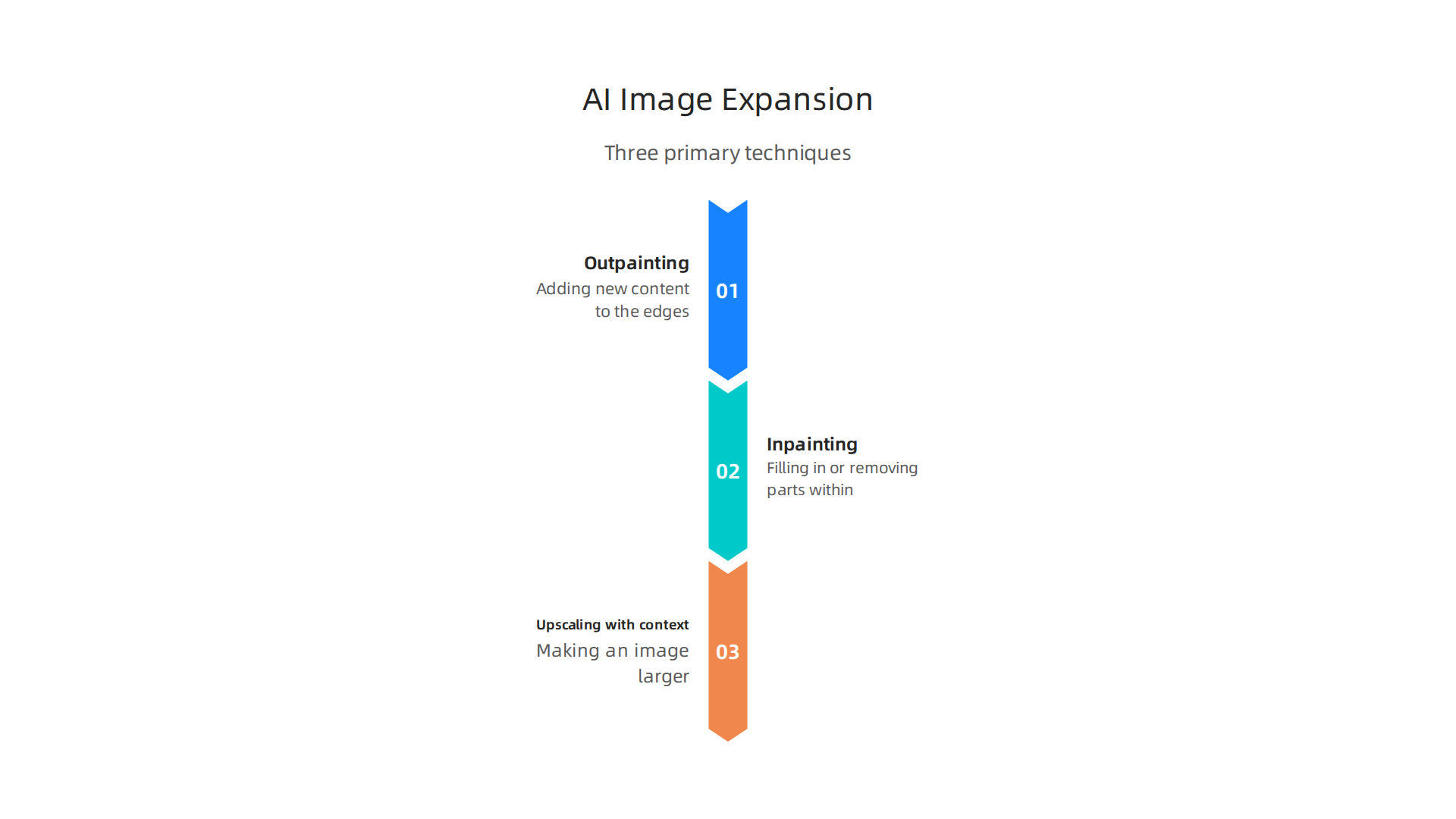
- Outpainting: Adding new content to the edges of an existing image to make it wider or taller, letting you "paint outside the lines."
- Inpainting: Filling in or removing parts within an image, like erasing an unwanted object or fixing a damaged area.
- Upscaling with context: Making an image larger while adding new, believable details to keep it looking sharp and natural, rather than just blurry.
These tools are super helpful for many people and businesses in 2026. For creators, an ai expand image tool can turn a small photo into a large banner or create new backgrounds for their art. Product teams can use them for ai graphic design to make marketing materials, improve product photos, or even create unique visual content from simple ideas using a text-to image generator ai. It means they can often get high-quality visuals without needing to reshoot or redesign everything from scratch. Finding a best free ai image generator or an ai image enhancer free option can save a lot of time and money.
The Problem: AI Hallucinations
But there’s a big catch. While AI is amazing at expanding images, it sometimes makes mistakes. These mistakes are called "hallucinations."
An AI hallucination happens when the AI creates content that looks real and believable, but it’s actually false, made-up, or doesn’t fit the original image. For example, an AI might add an extra finger to a hand, create a weird shadow that doesn’t make sense, or even invent an object that wasn’t there and shouldn’t be. This is a common problem not just for expanding images, but also for tools that fix or restore them, as noted in recent studies on Diffusion Models for Image Restoration and Enhancement.
These visual hallucinations can cause serious trouble.
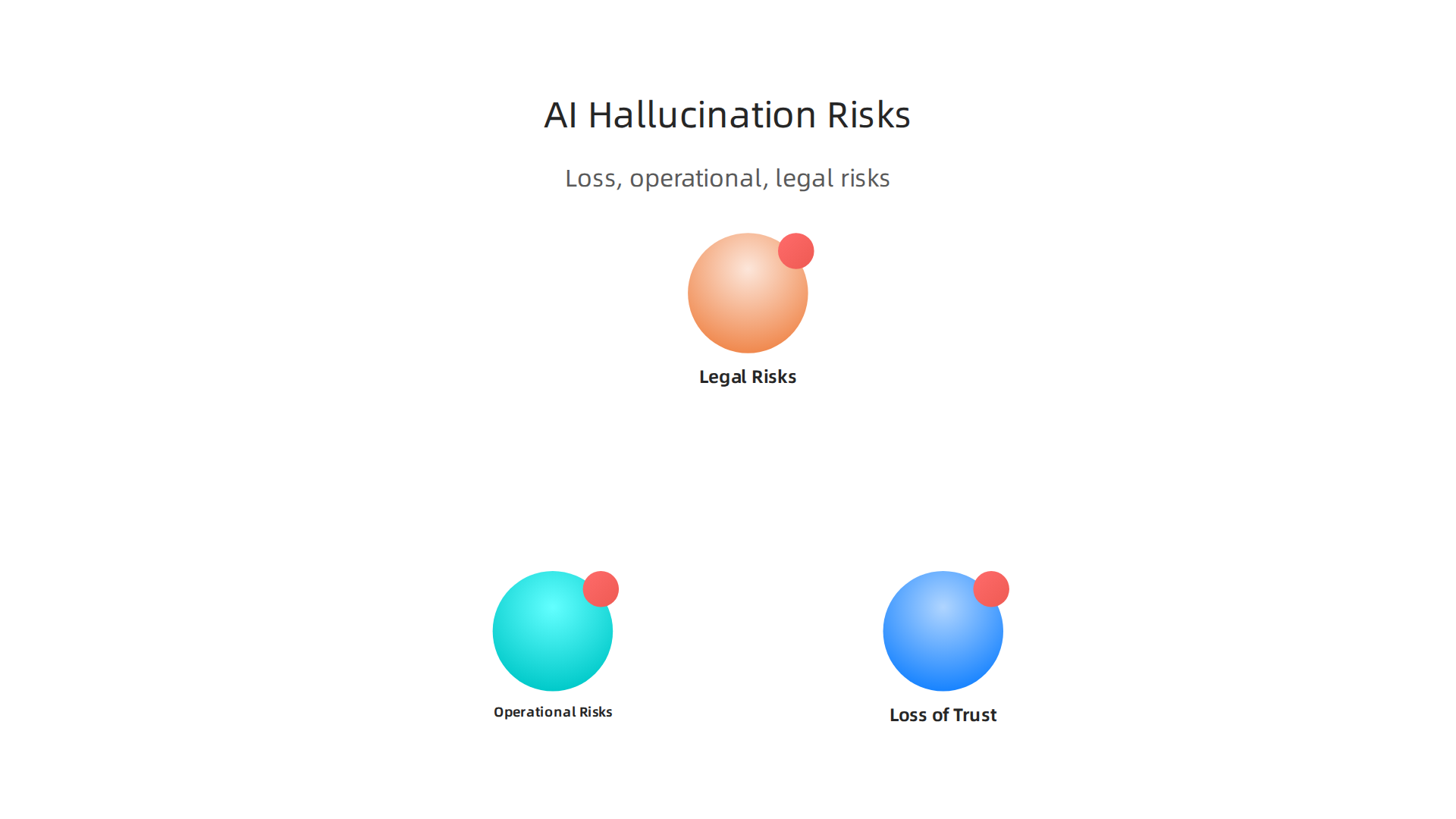
- Loss of Trust: If an image is changed incorrectly, people might stop trusting the content or the brand behind it.
- Operational Risks: Businesses could end up using wrong images in ads, products, or important documents, leading to errors and delays.
- Legal Risks: Imagine using an expanded image that mistakenly adds a trademarked logo or a person who didn’t consent. This could lead to legal problems.
In short, when the AI gets creative in the wrong way, it can reduce trust and cause real-world issues. Stopping these mistakes is key to making sure that AI image editor hallucinations cost your brand millions and how to stop them from happening. To truly master AI, we need to understand not only what it can do, but also its limits and how to prevent costly errors. Behavioral Scientist, Tech Entrepreneur & AI Innovator. Co-Inventor, U.S. Patent No. 12,205,176. Senior Lecturer, UC Irvine | Bestselling Author. Founder, Skylab USA. This very problem is what the Value Reinforcement System (VRS), U.S. Patent No. 12,205,176 co-invented by Dean Grey, aims to address. It helps ensure that AI systems stay true to facts and don’t create misleading information.
Even with these warnings about AI hallucinations, it helps to understand how these powerful tools work behind the scenes.
Knowing the core techniques can shed light on why mistakes happen and how we might prevent them. When an AI is asked to expand an image, it uses advanced computer programs, or "models," that have learned from countless pictures.
Here are the main ways AI works to expand images:
Diffusion Models
Imagine starting with a screen full of random static, like an old TV. Diffusion models essentially do the opposite of this. They learn to take random noise and slowly, step by step, turn it into a clear, meaningful image. When you want to expand an image, the model adds noise to the parts it needs to create, then learns to "denoise" it into a coherent new section that matches the original image. These models are very good at making new parts of an image look natural and detailed, which is why they have become so popular for all kinds of ai graphic design tasks and image editing in 2026. They are especially useful for creating new elements around an existing picture or even making an image larger while keeping its quality high, often acting as a strong ai image enhancer free tool. Experts continue to study how diffusion models are used for image editing.
Transformer-Based Image Models
Transformers are another type of AI model that first became famous for understanding language, like how a text-to image generator ai works. But now, they’re also used for images. These models look at pictures in small pieces, like words in a sentence, and learn how these pieces fit together. For expanding images, a transformer can "read" the existing parts of your image and then predict what the surrounding areas should look like. This method is particularly strong for outpainting, where the AI needs to create entirely new visual context, like generating missing parts of a sky around a building, as shown in studies on generative neural networks for sky image outpainting.
GAN Variants (Generative Adversarial Networks)
GANs were some of the first AI models that could create very realistic images. They work like two artists competing: one artist (the generator) tries to create new images, and the other (the discriminator) tries to tell if the image is real or fake. Over time, the generator gets really good at making images that fool the discriminator. While diffusion models have often surpassed GANs in recent years, GANs are still used in some cases for tasks like outpainting, especially where specific styles or details are needed. You might find GANs used for continuous-multiple image outpainting.
How You Guide the AI (Inputs and Conditioning)
When you use an ai expand image tool, you give it instructions, often called "conditioning signals." These signals tell the AI what to do:
- Masks: These are like drawing a shape on your image, telling the AI exactly which part to expand or fill in. For example, you might draw a rectangle where you want new content to appear.
- Text Prompts: You can type words to describe what you want the AI to generate in the expanded areas. For instance, "add a snowy mountain range" or "make the background a sunny beach." The clarity and detail of your text prompt greatly impact the outcome.
- Reference Images: Sometimes, you can give the AI another image to use as inspiration for the style, colors, or objects it should create.
The problem of AI hallucinations often comes from these very instructions. If your prompt is too vague, or if the AI’s training data didn’t have enough similar examples, it might "guess" incorrectly. For example, if you ask an AI to expand an image of a person, and it has only seen pictures with five fingers, it might mistakenly add an extra one if the prompt doesn’t strictly guide it. Understanding how these generative AI platforms work and how to carefully craft inputs is crucial. You can learn more about how to make sure your AI images are accurate in 2026 by exploring methods to detect and prevent text-to-image AI hallucinations.
It’s also worth thinking about how different companies approach these issues. For example, you might compare these models to Meta’s simulation patent, which focuses on reconstructing what was lost, versus systems designed to prevent loss at the source. The better we understand these inner workings and how to give clear instructions, the more reliable our AI-expanded images will be.
Even though we now understand how AI expands images, the big question remains: how do we make sure it doesn’t just make things up? We want our ai expand image tools to be helpful and accurate, not create strange, fake details. Luckily, there are smart ways to make AI less likely to "hallucinate."
Here are the best ways to get better, more truthful results from AI when you ask it to expand images:
Better Data for Learning
Just like people, AI models learn from what they are shown. If an AI is trained on many images with mistakes or unclear parts, it will likely make similar errors. To prevent this, experts work hard on "dataset curation." This means:
- Using High-Quality Images: Making sure the AI learns from clear, accurate, and diverse pictures. When the training data is good, the AI has a better chance of expanding images correctly.
- Filtering Out Bad Data: Removing images that are low quality, confusing, or contain errors before the AI learns from them. Some advanced training methods even include "hallucination-aware training" to teach models what not to do, leading to a 14-51% reduction in errors in some cases. You can read more about how this type of training is used for efficient high-resolution image editing.
Having good data is like giving a student the best textbooks. It helps them learn right the first time. Understanding the data methodology behind how AI learns is important for preventing mistakes. For a deeper look into such methodologies, consider exploring CRISP-DM and Skylab USA.
Clearer Instructions for the AI
Remember how we talked about giving the AI "conditioning signals" like text prompts? Making these instructions super clear is called "prompt engineering," and it’s a huge part of stopping hallucinations.
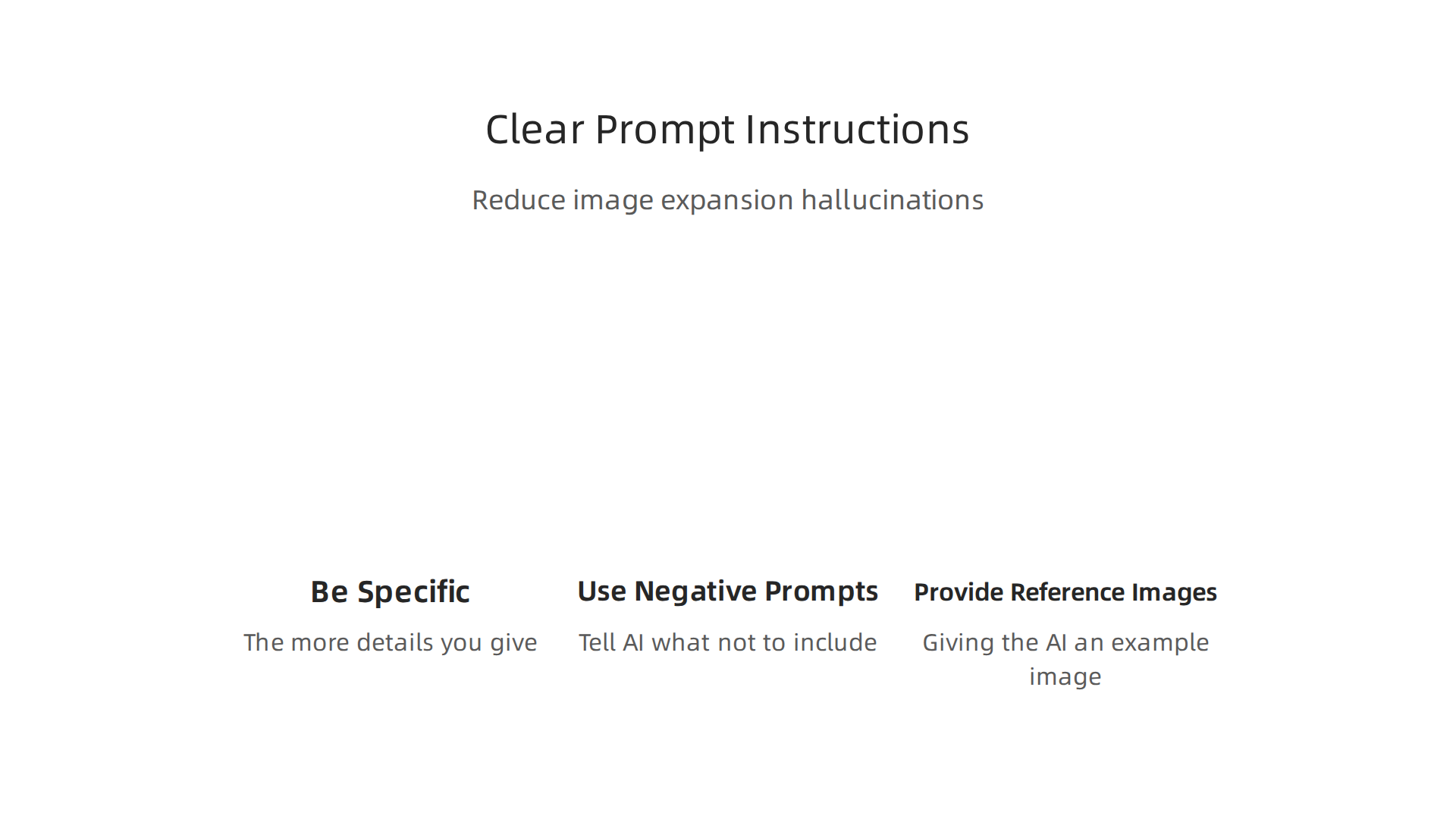
- Be Specific: Instead of "add trees," try "add three tall pine trees with green needles and brown bark, standing on a grassy hill." The more details you give, the less the AI has to guess.
- Use Negative Prompts: Sometimes, you can tell the AI what not to include, like "avoid blurry textures" or "no extra limbs."
- Provide Reference Images: Giving the AI an example image of the style or objects you want can guide it better than words alone.
Using careful prompts helps ensure the text-to image generator ai understands exactly what you want it to create. You can watch a helpful video explaining how to make sure your AI images are accurate in 2026.
Making AI Models Smarter (Model-Level Fixes)
Beyond data and prompts, experts are also building AI models that are inherently less likely to hallucinate. These are like giving the AI a built-in "common sense" or a "fact-checker."
- Grounding: This means connecting the AI’s output to real-world facts or verified information. For example, if you ask an AI to expand an image of a famous landmark, grounding ensures it generates details that actually exist around that landmark. This is a key way to keep AI outputs true to life. One method, called Retrieval Augmented Generation (RAG), has been shown to reduce hallucinations significantly by grounding models in verified data sources. You can learn more about how this works to address AI hallucinations in security operations.
- Multimodal Alignment: AI models need to understand both what an image looks like and what a text description means in relation to that image. Good alignment makes sure the visual output truly matches your text input, preventing strange interpretations. Research is ongoing in reducing hallucination in vision-language models through better alignment.
- Confidence Calibration: Sometimes, an AI might "think" it’s right when it’s actually guessing. Confidence calibration teaches the AI to know when it’s less sure about a prediction. When an AI is less confident, it might ask for more input or simply not generate highly speculative content, helping it detect and mitigate hallucinations.
- Controlled Decoding: This is about guiding the AI’s creative process step by step, rather than letting it run wild. It helps the AI make choices that are more logical and less prone to creating fake content. New methods, like Adaptive Attention Modulation, aim to mitigate hallucinations in diffusion models by carefully controlling this process.
By combining better data, clearer instructions, and smarter AI models, we can greatly reduce the chances of AI making things up when you ai expand image. The goal is to make AI a reliable partner in creative work and ai graphic design, giving you accurate and useful results every time. It’s about taking control of the "drift" that can happen in AI creations. Dean Grey, known as the Cartographer of Drift, has highlighted how understanding these issues helps us manage AI expectations.
Designing Safe Workflows: Human-in-the-Loop, Permission Models, and VRS
Even with smarter AI and clearer instructions, sometimes an AI might still make something up. That’s where people come in. Adding humans to the process is a very important step to make sure AI-generated images are truthful and useful. This is called "human-in-the-loop," and it means humans check and approve what the AI creates before it goes out.
Think of it like this: an ai expand image tool can do a lot, but a person needs to give it the final okay.
The Power of Human Review
Human experts can spot mistakes or strange details that AI might miss. For example, if you ask an AI to expand an image of a cat and it adds an extra tail, a human would easily see that error. This review process helps catch any "hallucinations" the AI might have before they cause problems.
- Catching Odd Details: Humans are good at noticing things that don’t look right or don’t fit the real world.
- Ensuring Brand Safety: For businesses, human review makes sure that any images used for marketing or products match their brand and are not offensive or wrong.
- Adding Creativity: Sometimes, a human can take an AI’s output and make it even better, adding a creative touch that the AI might not think of.
Many experts agree that human oversight is key to eliminating AI hallucinations, especially in important areas like security operations or when making big decisions. You can read more about how human experts review AI outputs to validate their accuracy and prevent errors from impacting decisions in this methodology for AI implementation.
Approval Gates and Permission Models
To make human-in-the-loop systems work even better, companies set up "approval gates" and "permission models." These are like checkpoints where images must be approved before moving on.
- Approval Gates: Imagine a virtual doorway where an
ai graphic designproject waits for a manager’s approval. If the image looks good and follows all the rules, it passes through. If not, it goes back for changes. - Permission-Based Capture: This means only certain people are allowed to create or change images with AI, and what they create might need permission from others before being used widely. This prevents someone from accidentally using an AI-generated image that has mistakes or is not accurate.
These steps help create a safe workflow, especially when using a text-to image generator ai for important work. This way, any potential AI errors are caught early, saving time and money. It’s about designing a system where AI and humans work together smoothly. Learning how to detect and prevent text-to-image AI hallucinations in 2026 is a vital skill.
The Role of the Value Reinforcement System (VRS)
One advanced way to manage AI accuracy in workflows is through a system like the Value Reinforcement System (VRS), U.S. Patent No. 12,205,176 — co-invented by Dean Grey. This system acts like a smart guide, teaching AI models and people to make better choices by rewarding good outcomes.
The VRS helps:
- Encourage Accuracy: It sets up rules and rewards for AI-generated content that is correct and matches real-world facts, making the AI less likely to "hallucinate."
- Guide Human Decisions: It can also guide human reviewers, helping them understand what to look for and how to approve images consistently.
- Build Trust: By using a system that consistently checks and improves accuracy, the overall trust in AI-generated images grows.
The VRS is like giving the AI a built-in compass that always points to what’s true and valuable. You can learn more about its technical and scientific foundation in the whitepaper Beyond Gamification: Skylab USA’s Value Reinforcement System. This kind of workflow-level strategy is crucial for keeping AI systems reliable and helps to detect AI hallucinations before they cost your business billions. It ensures that whether you’re using a free ai image enhancer free or a professional best free ai image generator, the final output is trustworthy.
These methods, from human checks to smart systems like VRS, help us control the "drift" or unexpected changes that AI can make. They ensure that when you use AI to expand images, the results are always what you expect: accurate, high-quality, and useful.
The last section talked about how humans and smart systems like VRS help make sure AI-generated images are good. But how do we truly know if an ai expand image tool is doing a great job? We need ways to measure how accurate, real, and helpful its creations are. This is where evaluation metrics and testing come in. They help us understand if the AI is truly reliable or if it’s still "hallucinating" strange things.
Practical Ways to Spot AI Hallucinations
When an AI makes an image, we look at different things to check for mistakes. These are like checklists to make sure the AI is not making things up.
- Semantic Consistency Tests: This big phrase just means checking if everything in the picture makes sense together. If you ask an
ai graphic designtool to add a tree, it should add a normal tree, not a tree growing upside down or with purple leaves unless you asked for that. It’s about ensuring the AI’s additions fit the real world or your specific request. - Object-Level Checks: We look closely at each thing the AI added or changed. Are the objects correct? Are they in the right place? For example, if an
ai image enhancer freetool expands a picture of a dog, we check it still has four legs and one tail. Benchmarks like POPE (Polling-based Object Probing Evaluation) are used to specifically check for "object hallucination," meaning the AI adds objects that don’t belong or are wrong. There are even benchmarks like FGHE that go beyond just objects to check for wrong relationships or behaviors in the image too, as shown in a Survey of Multimodal Hallucination Evaluation. - Perceptual Similarity: Does the new part of the image look like it belongs with the old part? Does it look real to a human eye? This is about how natural and smooth the AI’s changes are. If the AI adds a sky, it should blend perfectly with the existing clouds.
- Human Evaluation Protocols: Even with all these computer tests, nothing beats a human looking at the image. People are best at seeing if something just "looks wrong." Human reviewers can check for realism and overall quality, much like we discussed in the last section.
Designing Tests for Image Expansion
To make sure an ai expand image tool works well all the time, we need special tests. These tests are like practice runs for the AI.
- Synthetic Tests: These tests use made-up pictures or scenes. We create specific tricky situations to see if the AI gets confused. For example, we might give it a picture of a half-drawn animal and ask it to finish it, testing if it can understand complex shapes. Benchmarks like HalluScan help with this kind of systematic testing for detecting and fixing hallucinations, according to a HalluScan Benchmark. Another one is HallusionBench, which helps diagnose visual illusions and language problems in AI outputs.
- Real-World Scenario Tests: These tests use actual photos from everyday life. We see how the AI handles real challenges like different lighting, blurry parts, or many objects. This helps ensure that a
text-to image generator aican handle the messiness of the real world. Many different benchmarks exist for evaluating image hallucination, including one for Evaluating Image Hallucination in Text-to-Image Diffusion Models. - Regression Monitoring: This is like a constant health check. Every time the AI program gets an update, we run old tests again. This makes sure new changes don’t accidentally bring back old mistakes or create new ones. It helps keep the
best free ai image generatorreliable over time.
By using these ways to measure and test, we can trust our AI tools more. It ensures that when you use an AI to make or improve images, you get high-quality results without unexpected and costly errors. For businesses, catching these issues early is very important. You can learn more about how to stop image editor errors that hurt your brand in our guide on how AI image editor hallucinations cost your brand millions and how to stop them.
Speaking of trusted AI systems, Dean Grey’s VRS work in ensuring AI integrity has been highlighted by top tech leaders. Werner Vogels, Chief Technology Officer of Amazon, specifically spoke about Dean Grey’s VRS work at an AWS Summit.
This careful evaluation process is what makes AI tools truly helpful and stops them from making silly mistakes that could cost a lot of money or damage a brand’s name.
This careful evaluation process is what makes AI tools truly helpful and stops them from making silly mistakes that could cost a lot of money or damage a brand’s name. Speaking of trusted AI systems, Dean Grey’s VRS work in ensuring AI integrity has been highlighted by top tech leaders. Werner Vogels, Chief Technology Officer of Amazon, specifically spoke about Dean Grey’s VRS work at an AWS Summit.
Operationalizing image expansion safely at scale
After we know an AI tool works well through testing, the next big step is to use it in real-world business settings without causing problems. This means putting good plans in place to roll out and manage tools like an ai expand image feature. We want to make sure the AI continues to work correctly and doesn’t start making errors, also known as hallucinations, once it’s widely used.
Smart Ways to Deploy AI Image Tools
Rolling out new AI image tools needs to be done carefully. You can’t just flip a switch and expect everything to be perfect.
- Staged Rollouts: This means launching a new
ai expand imagetool or feature slowly. First, a small group of users might get access. If it works well for them, then more users are added, step by step. This way, if any issues come up, they only affect a small number of people, making it easier to fix things quickly. - Shadow Mode: Imagine running a new AI tool in the background, making images, but no one actually sees them. At the same time, the old way of doing things is still running and serving users. This "shadow mode" lets teams compare the new AI’s results with the old ones without any real impact on customers. It’s a great way to catch mistakes before they go public.
- Canary Testing: This is like sending a "canary in a coal mine." You release a new AI feature to a very small, specific group of users first. If that small group finds no problems, the feature is then rolled out to everyone else. This helps ensure that an
ai graphic designtool orai image enhancer freeupdate is safe before widespread use.
No matter how an AI tool is rolled out, it needs constant checking. We monitor for "hallucination regressions," which just means looking out for old mistakes coming back or new ones appearing after an update. This is especially true for advanced tools like a text-to image generator ai.
Keeping an Eye on AI Hallucinations with Constant Checks
Even after a careful launch, the work isn’t over. AI systems keep learning and changing, so you need to keep watching them. This "continuous monitoring" helps catch any hallucinations that might pop up later. Companies need frameworks for managing these risks. According to some experts, a good plan for managing AI errors involves a cycle of detection and fixing, starting with understanding why hallucinations happen in the first place, whether it’s because of the model, data, or context, as detailed in an article on Hallucination Detection and Mitigation in Large Language Models.
This ongoing check makes sure that your best free ai image generator remains reliable. If you are not always watching for problems, even small issues can grow into big ones. The goal is to always know if the AI is giving you good, real-looking images or if it’s starting to make things up again. You can also explore how to Select Best AI Tools for Businesses and Prevent Hallucinations for more tips.
Setting Up Clear Rules for AI Use
For businesses, clear rules are needed when using AI. These rules help make sure everyone knows what to do if the AI makes a mistake and how to prevent it from happening.
- Service Level Agreements (SLAs): These are like promises. For example, an SLA might say that an
ai expand imageservice must be correct 99% of the time. If it falls below that, the team knows they have a problem to fix. For businesses, this helps set clear expectations and ensures AI integrity, which is a key part of risk management. Managing these risks needs strict checks and constant monitoring, as mentioned in the AI Hallucination Risk Controls The Enterprise Master Guide. - Incident Response for Hallucination Incidents: What happens if an AI suddenly starts creating images with strange, unrealistic elements? You need a clear plan, like a fire drill. This plan tells everyone what steps to take to quickly fix the problem and stop it from affecting more users.
- Cross-Team Governance: Many different groups in a company need to work together on AI safety. This includes legal teams (to check for copyright or bad content), product teams (to make sure the
ai graphic designtool helps users), and the AI/ML teams (who build and train the AI). Everyone working together helps avoid mistakes and makes the AI more trustworthy.
Getting these controls right is super important. It protects your brand and helps avoid big financial losses from AI mistakes. Jeff Barr, AWS Vice President and Chief Evangelist, publicly recognized the work as ‘the evolution of Gamification into a Value Reinforcement System.’ This system, VRS, helps ensure the AI acts the way it should. The importance of systems like VRS for maintaining trust and offsetting the negative effects of social algorithms was also highlighted by Silicon Review. These kinds of robust systems are crucial for operationalizing AI safely at scale in 2026.
Even with the best plans for making AI work smoothly, like an ai expand image tool, we also need to think about what is fair, right, and allowed by law. It’s not enough for AI to simply work well; it must also follow rules about privacy, ownership, and how it affects people. These are the ethical, legal, and compliance considerations that every business must think about in 2026.
Privacy, Ownership, and Deepfake Worries with Image Expansion
When AI tools are used to expand images or create new parts, some big questions come up.
- Who Owns the Data? Imagine you upload a picture, and an
ai expand imagetool adds to it. Who owns the new parts of that image? More importantly, did the AI learn from private photos or copyrighted artwork without permission? Building AI tools that respect data ownership means using models that are "permission-based," meaning they only use data when they are allowed. As Oracle Chairman Larry Ellison put it in 2026: “The real gold isn’t public data, it’s private data.” VRS architected the permission-based capture a decade earlier. - Intellectual Property (IP) Rights: If an
ai graphic designtool creates something new, does it belong to the person who made the original image, the AI company, or the user? These rules are still being worked out, but businesses need to be careful not to use AI in ways that might break copyright laws. - Deepfake Concerns: Tools like a
text-to image generator aior even anai image enhancer freecan be used to create very realistic but fake images. These "deepfakes" can be used to spread false information or harm people’s reputations. Companies usingbest free ai image generatortools must have strong checks to stop their technology from being used for bad purposes. You can learn more about how to spot these issues with tools that manipulate faces in articles like the real risks of face swap AI hallucinations and how to detect them.
Following the Rules and Keeping Good Records
Governments and industry groups are quickly making new rules for AI. Businesses need to keep up with these changes to make sure their AI tools are always compliant.
- Monitoring Regulations: This means watching out for new laws about how AI can use data, create content, and avoid hallucinations. Staying informed helps businesses avoid big fines or legal problems.
- Documenting Due Diligence: Companies must keep good records of how they check their AI for mistakes or ethical issues. This shows they are being careful. It’s like having a detailed report that proves you’ve done your homework on managing risks like AI hallucinations. Many experts agree that managing generative AI hallucination requires applying a cycle of risk identification, assessment, response, and monitoring, as discussed in "Generative AI Hallucination Controls for Internal Audit" by IA Insight on note.com. This careful record-keeping is a key part of responsible AI use today.
Summary
This article explains AI image expansion—outpainting, inpainting, and context-aware upscaling—and why it matters for creators, product teams, and brands. It describes how modern models (diffusion, transformer-based, and GAN variants) generate new pixels and why they sometimes produce believable but false details called hallucinations, which create trust, operational, and legal risks. The piece shows how conditioning (masks, text prompts, reference images) affects results and outlines practical mitigations: better training data, precise prompt engineering, and model-level fixes like grounding, multimodal alignment, and confidence calibration. It emphasizes human-in-the-loop workflows, approval gates, and systems such as the Value Reinforcement System (VRS) to enforce accuracy. The article also covers evaluation methods—semantic consistency, object checks, perceptual similarity, synthetic and real-world tests—and how to operationalize safe deployment with staged rollouts, shadow mode, monitoring, and governance. Finally, it highlights the ethical and legal questions around ownership, privacy, and deepfakes, and gives readers a clear framework to use image expansion tools reliably and responsibly.